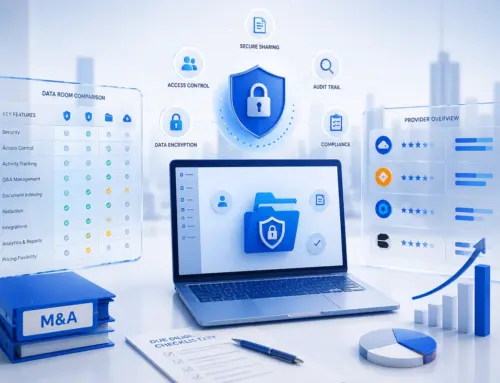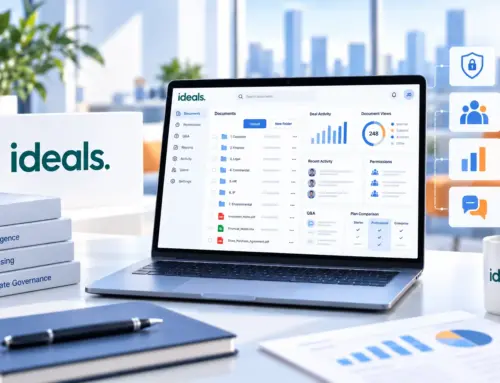

Every deal team, legal department, and finance group deals with the same problem: sensitive files need to move between people, and one wrong click can expose them to the wrong audience. That's why choosing the right enterprise file sharing platform matters. It's not just about storage anymore. It's about who can see a file, what they can do with it, and whether you can prove that later.
Data breaches are expensive, disruptive, and increasingly tied to outside collaborators. Verizon's 2025 Data Breach Investigations Report found that third-party involvement in breaches has doubled to 30% year-over-year, and the risk keeps growing as teams share more files with external partners, vendors, and clients.
This guide walks through the best enterprise file sharing solutions on the market today, what to look for in a platform, and when a general file-sharing tool isn't enough for a sensitive transaction.
Quick answer: Enterprise file sharing platforms help organizations securely store, sync, share and control business files. General collaboration platforms work well for everyday teamwork, while virtual data rooms provide tighter permissions, watermarking and auditability for M&A, fundraising, due diligence and other sensitive transactions.
What is enterprise file sharing?
Enterprise file sharing is a way for organizations to store corporate data, sync files, and share them with employees, partners, and clients from one central, secure file storage platform. It gives IT teams the tools to manage file access: who can open a file, from which device, and under what conditions.
This is different from a consumer file-sharing service. A personal cloud storage app is built for convenience: you save a file, and you can open it anywhere, without much thought given to who else might see it. An enterprise file-sharing solution adds the layer that businesses actually need: access controls, user permissions, audit logs, and integrations with the tools your teams already use. In short, a consumer file-sharing service helps you keep files. Enterprise file sync and share helps you control them.
Top 9 enterprise file sharing solutions in 2026
Here's a quick side-by-side look at nine of the most widely used platforms, followed by a closer review of each one, including a G2 rating for every provider.
| Solution | Best for | Standout feature |
|---|---|---|
| Microsoft OneDrive | Microsoft 365 teams | Deep Office integration |
| Google Drive | Google Workspace teams | AI-driven DLP and ransomware detection |
| Box | Content-heavy enterprises | AI-powered content classification |
| Egnyte | Hybrid cloud and on-prem needs | Content intelligence and governance |
| Citrix ShareFile | Client-facing professional services | Granular, configurable security settings |
| Kiteworks | Regulated industries | Possessionless file editing (SafeEDIT) |
| Ideals | M&A, due diligence, fundraising | Eight-level granular permissions |
| Datasite | Large, complex M&A deals | AI-powered redaction and translation |
| EthosData | Mid-market deals needing hands-on support | Dedicated data room manager |
Microsoft OneDrive
G2: 4.3/5OneDrive is Microsoft's cloud storage and file sharing tool, built into Microsoft 365 for everyday document collaboration.
Best use: Teams already living inside Microsoft 365 who need everyday document collaboration and easy file access across devices.
Key features
- Centralized document libraries
- Real-time co-authoring
- Deep integration with Word, Excel, and Teams
- Expiring, permission-based share links
- AI-assisted search and summaries via Copilot, where licensed
Security
- Encryption at rest and in transit
- Microsoft Entra-based external sharing controls
- Enterprise-grade access control through Conditional Access policies
Limitation
Google Drive (Google Workspace)
G2: 4.6/5Google Drive is Google's cloud storage and corporate file sharing tool, bundled into Google Workspace alongside Gmail, Docs, and Meet.
Best use: Organizations standardized on Google Workspace for daily collaboration and corporate file sharing.
Key features
- Real-time editing
- Offline access
- Deep integration with Gmail, Meet, and Docs
- AI classification of sensitive content
- Instant ransomware detection and file recovery
Security
- Client-side encryption
- Automated data loss prevention policies
- Admin security center with anomaly detection
Limitation
Box
G2: 4.2/5Box is a cloud content management platform built for enterprises handling large volumes of corporate data across departments.
Best use: Enterprises managing large volumes of unstructured content who need secure file storage with a genuinely intuitive user interface.
Key features
- Cloud storage and file access from any device
- E-signature
- Workflow automation
- AI-powered metadata extraction
- Intuitive user interface for non-technical users
Security
- Box Shield threat detection
- AES 256-bit encryption
- FIPS 140-2 certification
Limitation
Egnyte
G2: 4.4/5Egnyte combines cloud content management with data security and AI, aimed at companies that need a mix of cloud and on-premises file storage.
Best use: Companies that need a mix of cloud and on-premises corporate data storage with strong governance.
Key features
- Centralizes files across cloud and on-prem storage
- Automated classification of sensitive content
- Access rules based on file content, not just folder location
- Multi-factor authentication
- Integrations with Microsoft 365 and Google Workspace
Security
- Encryption in transit and at rest
- Granular, enterprise-grade access control
- Data security and DLP tools rated highly by users
- Compliance support for GDPR and HIPAA
Limitation
Citrix ShareFile
G2: 4.2/5ShareFile, now under Progress Software, is a client-facing file sharing and secure file transfer platform built for professional services firms.
Best use: Client-facing firms, such as accounting or legal practices, that need secure file transfer with external parties.
Key features
- Custom branded client portals
- E-signature
- Connectors to Box, Google Drive, OneDrive, and Dropbox
- Configurable password protection
- Data loss prevention integrations
Security
- TLS encryption in transit
- AES 256-bit encryption at rest
- Configurable password policies
Limitation
Kiteworks
G2: 4.4/5Kiteworks unifies email, managed file transfer, and secure file sharing under one governance model for regulated industries.
Best use: Regulated industries that need to unify secure file transfer, managed file transfer, and file sharing under one governance model.
Key features
- SafeEDIT possessionless editing for external users
- Repositories Gateway that unifies content across SharePoint, OneDrive, Google Drive, and Box
- Comprehensive audit logs
- Advanced features for governance and compliance reporting
- Support for large file transfers
Security
- FIPS 140-3 validated encryption
- Audit logs aligned with the NIST Cybersecurity Framework
- Multi-factor authentication
Limitation
Ideals
G2: 4.7/5Ideals VDR is a virtual data room built for M&A, due diligence, fundraising, and other high-stakes transactions that need more control than daily file-sharing tools provide.
Best use: M&A, due diligence, fundraising, and other high-stakes transactions that need more control than daily file-sharing tools provide.
Key features
- Eight levels of granular permissions, compared with the three to five levels common on many other platforms
- Q&A tools
- Bulk upload
- AI-assisted document review
- Intuitive user interface for both admins and external users
Security
- ISO 27001-certified, with SOC 2 assurance reporting
- Dynamic watermarking
- Detailed activity tracking
- Fence view
- Redaction
Limitation
Datasite
G2: 4.5/5Datasite is a virtual data room built for large, complex M&A transactions run by investment banks and advisory firms.
Best use: Large, complex M&A transactions run by investment banks and advisory firms.
Key features
- AI-powered redaction
- Document translation
- Search across more than 15 languages
- Deal preparation tools built from real transaction patterns
- Reporting and analytics dashboards
Security
- Hosted on Microsoft Azure
- Optional single sign-on
- Multi-factor authentication and information rights management
Limitation
EthosData
G2: 4.0/5EthosData is a virtual data room, now part of Ideals, built for deal teams that want a straightforward, well-supported secure file sharing solution without a steep learning curve.
Best use: Deal teams that want a straightforward, well-supported data room without a steep learning curve.
Key features
- Document management
- Granular permissions
- Q&A management
- AI-assisted review tools
- Dedicated data room manager who helps with user access and permissions setup
Security
- Two-factor authentication
- Dynamic watermarking
- Encryption in transit and at rest
- Access restrictions by IP or domain
Limitation
Key features to look for in an enterprise file-sharing solution
Not every file-sharing enterprise tool is built the same way, so it helps to know which features actually protect your data rather than just store it.
Granular permissions and access controls
You should be able to restrict access by user, group, folder, or even individual document, not just grant blanket access to a shared drive.
Two-factor authentication
This adds a second identity check beyond a password, which matters when internal and external users are logging in from different networks and devices.
Data loss prevention
DLP tools scan for sensitive data, like financial records or personal information, and can block or flag risky sharing before it happens.
Comprehensive audit logs
You need a clear record of user access: who opened which file, when, and what they did with it, both for security review and for regulatory compliance.
Mobile access
Deal teams and remote employees need to securely access files from a mobile device without weakening the platform's overall security posture.
Integrations with existing systems
A good platform connects with the productivity tools, CRMs, and enterprise content management systems your teams already use, rather than forcing a separate workflow.
Automated file transfers
For large file transfers or recurring data exchanges, a secure file transfer workflow with automation reduces manual errors and keeps sensitive files moving on a predictable schedule.
Enterprise file sharing vs. virtual data rooms
Daily collaboration vs. transaction-level control
General file-sharing platforms are built for internal and external users who collaborate every day: editing documents, syncing files across devices, and keeping projects moving. That's exactly what they're good at. But when a transaction involves highly sensitive documents and outside reviewers who shouldn't see everything at once, a virtual data room is the safer fit.
Virtual data rooms add a layer of control that general platforms weren't designed for: view-only access, dynamic watermarking on every downloaded page, and activity tracking down to the individual document. This is why due diligence, M&A, audits, and fundraising rounds tend to move into a dedicated VDR rather than staying in a shared drive.
| Factor | Enterprise file sharing | Virtual data room |
|---|---|---|
| Best for | Daily internal and external collaboration | Due diligence, M&A, fundraising, audits |
| Access control | Folder- or file-level permissions | Granular, often document-level permissions |
| Document viewing | Standard download/edit access | View-only options with dynamic watermarking |
| Activity tracking | Basic sharing and access logs | Detailed, document-level activity reports |
| Typical users | Employees and regular external partners | Bidders, investors, auditors, legal counsel |
How to choose the right solution
Before you commit to a platform, weigh it against how your team actually works.
Use case
Daily collaboration calls for a different tool than a one-time, high-stakes transaction.
Data sensitivity
The more sensitive your files, the more you'll want granular permissions, watermarking, and audit trails rather than basic sharing links.
Security and compliance
Check whether the platform supports the standards your industry needs, such as the General Data Protection Regulation (GDPR), HIPAA, or SOC 2.
Integrations
Look for compatibility with your existing systems, including email, CRM, and document editing tools.
Ease of use
A platform that's hard to learn slows adoption, especially when external users, like investors or bidders, need to log in without training.
Cost
Compare not just the sticker price but what's included at each tier, since advanced security and compliance features are often reserved for higher plans.
Conclusion
For everyday collaboration, tools like Microsoft OneDrive, Google Drive, Box, Egnyte, Citrix ShareFile, and Kiteworks each offer solid enterprise file sharing and sync, and the right pick usually comes down to which ecosystem your team already uses. But when the stakes rise, whether that's a merger, a fundraising round, or a regulatory audit, a purpose-built secure file sharing solution like a virtual data room from Ideals or EthosData gives you the granular control, watermarking, and activity tracking that general file-sharing platforms don't provide.
Frequently asked questions
What is enterprise file sharing?
Enterprise file sharing is a system that lets organizations store, sync, and share files securely with employees and external parties, while giving IT teams control over access, permissions, and activity tracking.
What is the most secure enterprise file-sharing solution?
Security depends on your use case. For everyday collaboration, platforms like Box, Egnyte, and Kiteworks offer strong encryption and access controls. For sensitive transactions like M&A or fundraising, a virtual data room such as Ideals or EthosData typically offers more granular, transaction-specific security.
What is the difference between enterprise file sharing and cloud storage?
Cloud storage focuses on saving and accessing files from anywhere. Enterprise file sharing builds on that with access controls, user permissions, audit logs, and compliance support designed for business use.
What is the difference between enterprise file sharing and a virtual data room?
General file sharing suits daily, ongoing collaboration. A virtual data room is built for one-time or project-based sensitive document exchanges, with tighter permissions, view-only access, watermarking, and detailed activity tracking.
Are virtual data rooms more secure than regular file-sharing platforms?
For sensitive, external-facing projects like due diligence or fundraising, yes. VDRs typically offer more granular access controls, document-level permissions, and audit trails than general-purpose file-sharing tools.
Which file-sharing solution is best for M&A and due diligence?
Purpose-built virtual data rooms, such as Ideals, EthosData, and Datasite, are best suited for M&A and due diligence, since they offer the permission granularity and activity tracking these processes require.
What security features should enterprise file-sharing software include?
Look for encryption at rest and in transit, two-factor authentication, granular access controls, data loss prevention, and comprehensive audit logs at a minimum.